
Introduction to the Dashboard
-
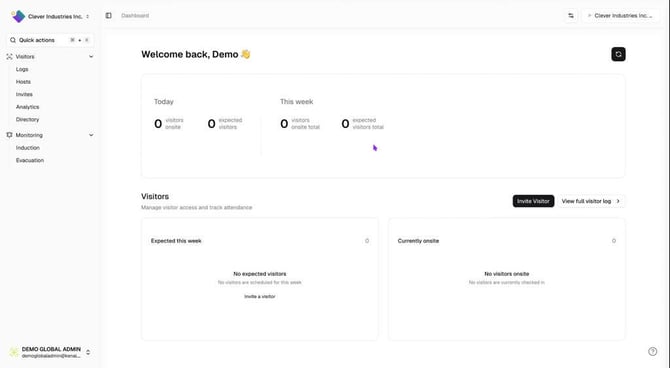
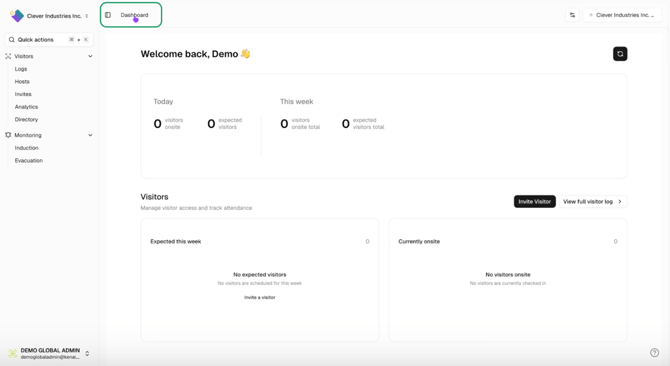
The homepage is your starting point.
-
Click 'Dashboard' to return to the homepage.
Summary View on the Homepage
-
The homepage displays a summary of:
-
Visitors on site today.
-
Expected visitors.
-
-
Click on the summary to view relevant logs.
Visitor List and Invitation
-
A preview list shows:
-
Expected visitors.
-
Visitors currently on site.
-
-
Click to invite a visitor quickly.
Accessing Support and Help Centre
-
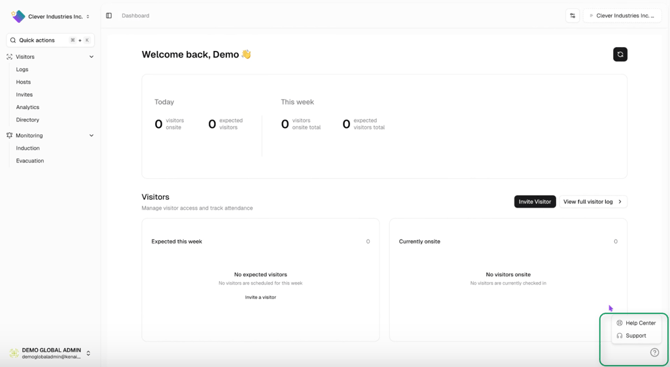
Bottom right corner provides access to support.
-
Click 'Support' to open a chatbot for queries.
-
Feedback is encouraged to improve the help center.
Navigating Multiple Locations
-
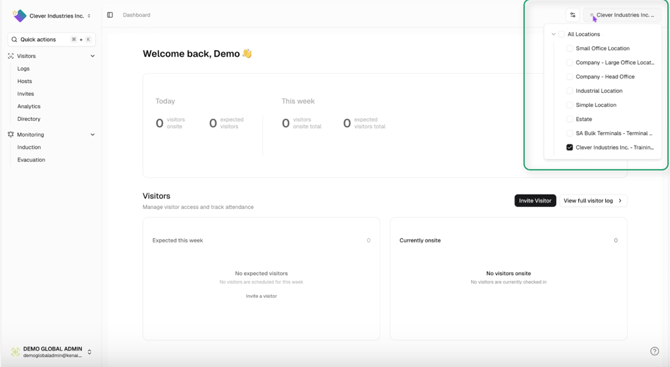
Users at multiple locations can select their location from the top right.
-
Selecting a specific location takes you to that location's dashboard.
-
Parent view provides a summary across all locations.
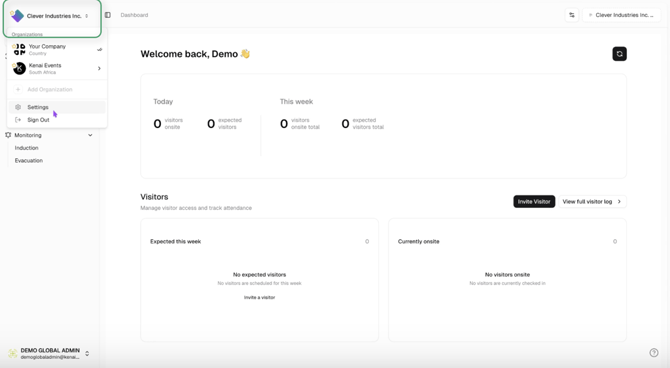
Accessing Settings as an Administrator
-
Top left corner allows access to settings.
-
Administrators can navigate to different locations through the menu.
-
We welcome your feedback!! 1:43
-
Thank you for using the Kenai platform.
-
Feedback is welcomed as you start using the solution.